
ReaKit
A free library of knobs, faders, buttons, meters, an analog VU, drum pads and piano keys for REAPER's JSFX. Every one is drawn in code, so a plugin face built with it is sharp at any size and takes a new look with one call. It's what every ReaKit FX plugin is drawn with.
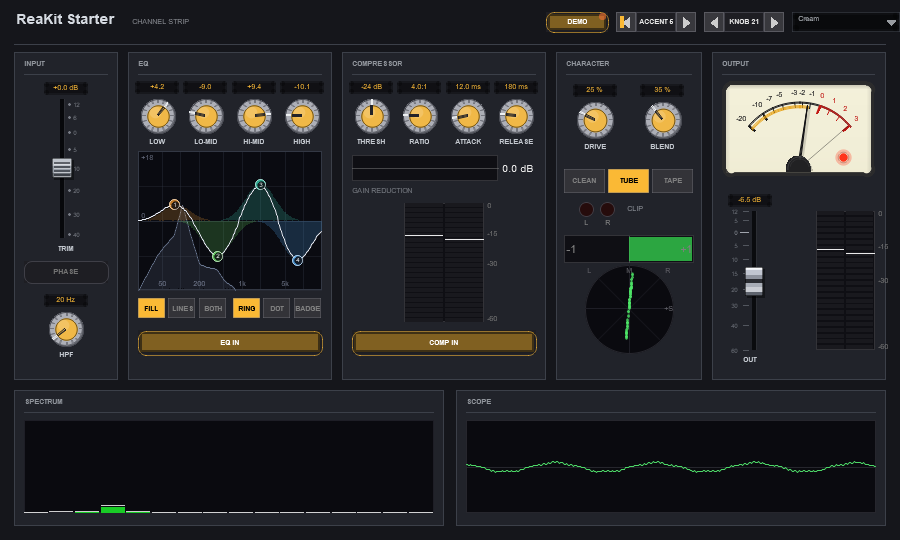
ReaKit Starter, a finished channel strip face that comes with the library. Every fader, knob, button, meter, the curve, the VU, the spectrum and the scope is a library call.
Every widget family, working, on six tabs.
Install the library and ReaKit Elements comes with it: a plugin that shows nearly every widget, live. Drop it on a track, click a tab, and turn, drag, scroll and click everything. The tab bar itself is one of the widgets.
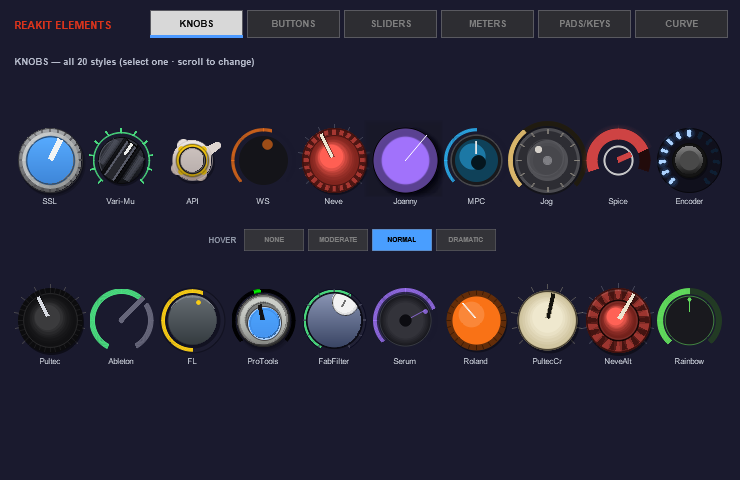
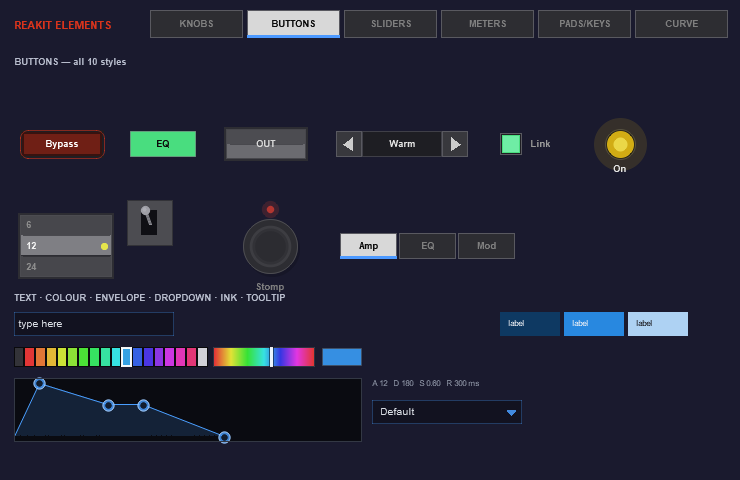
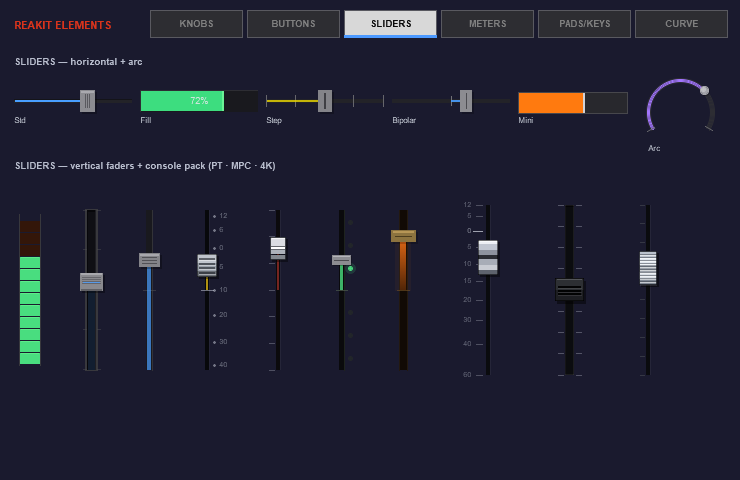
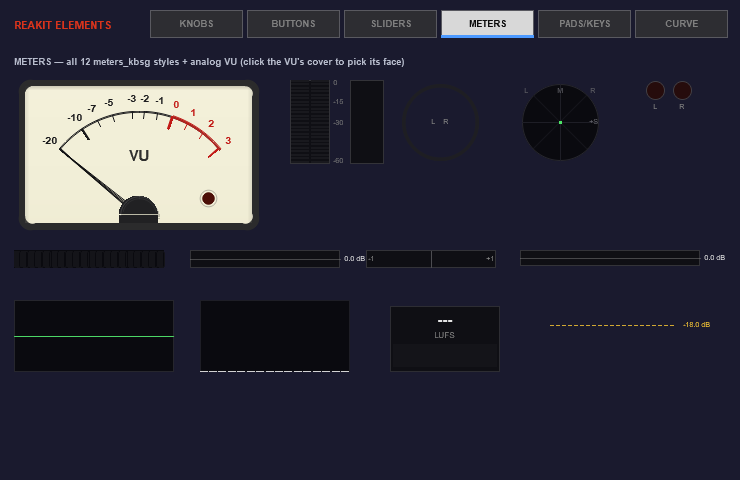
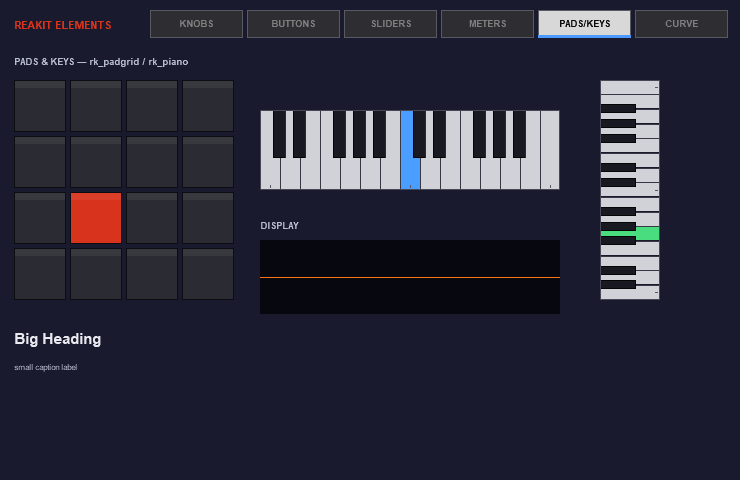
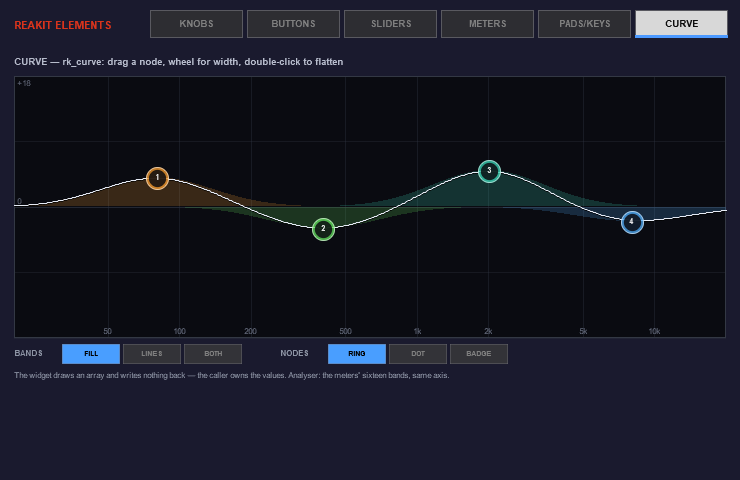
Everything a plugin face needs.
No image files anywhere. Every face is drawn live, so it stays sharp at any size and on any screen, and a whole plugin changes colour with one value.
SSL, SSL-G, two Neves, API, two Pultecs, Ableton, Pro Tools, FabFilter, Serum, Roland, MPC, encoders, jog wheels, a rainbow arc and more. Every one answers the mouse the same way: drag, Ctrl for fine, Shift for finer, the wheel, a double-click or a right-click back to the default, and writes that are safe to automate.
Horizontal, vertical, arc and range sliders, and a console pack: SSL, Neve, Pro Tools, MPC and 4K faders that look like the desks they're named after.
Toggles, pills, LEDs, rockers, a stomp box, a momentary push, a segmented bar, radio dots, steppers, icon toggles and a tab bar. The showcase's own tabs are that widget; it shows ten of the fourteen.
Peak and RMS, phase, a goniometer, a waveform, a spectrum and LUFS measure the signal themselves, not just draw it. The gain-reduction meter shows whatever your compressor hands it.
Three hundred milliseconds to 99 %, 1.2 % overshoot, the way the standard says. Twenty faces, a gain-reduction face and a face picker, and it reads right at every size: a small face keeps its numbers clear of the scale, a ticks-only option, and a flat dial for a wide mixer strip.
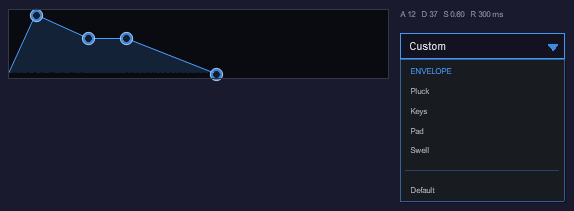
A drum pad grid and a piano keyboard. A response curve, a dropdown that draws itself, a text field, an envelope editor, a colour picker, tooltips, and auto-contrast ink that keeps a label readable on any panel.
The seven that came with 1.4
- Response curve. An EQ or filter curve with draggable nodes and a spectrum underlay. It evaluates nothing: you fill an array of dB values and it draws them, so the same widget serves an EQ, a filter sweep or a compressor knee. It writes nothing back either: it reports where a dragged node wants to be and you clamp and automate. Every band wears its own colour, with the summed curve in white over them.
- Dropdown. A menu that draws itself instead of handing the list to the operating system, so it looks like your plugin. Scrolls when the list outgrows the window, and understands the same header, tick and separator syntax the native menu does.
- Text field. A single-line editor with a caret, click to place it, arrow keys and scrolling. It drains the key queue, because typing outruns the frame rate and one key per frame silently drops letters.
- Envelope. Drag it by its corners. Each segment owns a fixed slice of the width, so a long attack never squeezes the release, and time is logarithmic in the drawing and the drag, so one to fifty milliseconds is actually reachable.
- Colour picker. Swatches and a rainbow strip. It holds a hue and takes saturation and lightness from you, so the swatches match your panel rather than a palette that suits nobody.
- Tooltips. Keyed by zone, so moving between two controls restarts the delay instead of reading as one long hover.
- Auto-contrast ink. Pass the colour behind your text and it picks near-black or near-white, so a label never vanishes on a themed panel.
A finished face to copy from.
Where Elements shows you every widget, Starter shows you a finished plugin: a channel strip, because a strip wants every widget family at once. Console faders, an analog VU, gain reduction, a spectrum and a scope, knobs, buttons and a segmented selector, all on real parameters you can automate.
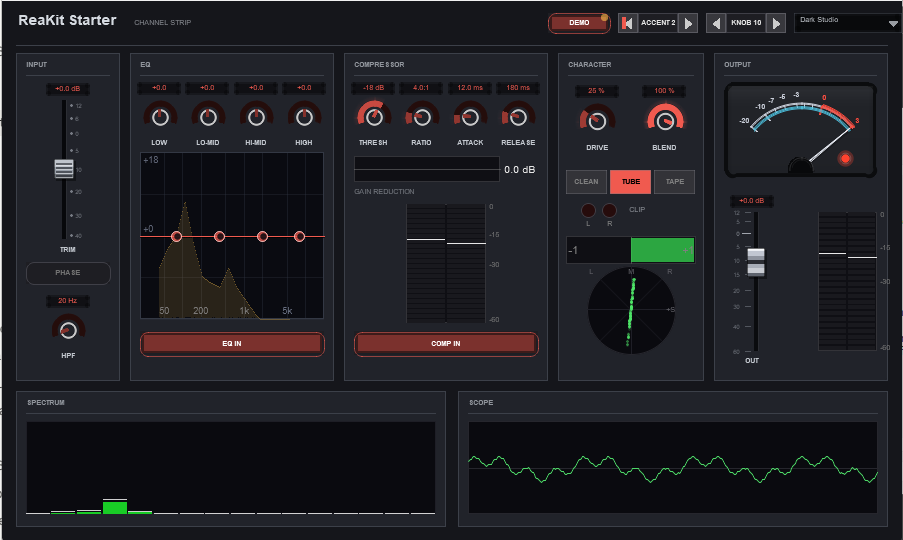
- It's alive on an empty project. The meters, the VU and the displays get a small internal signal while the track is silent (marked DEMO in the header), faded out as soon as real audio arrives. Meters only: it never puts that signal on the output.
- It re-skins in front of you. ACCENT in the header is a real parameter, and the fader fills, meter tints, readouts and knob caps follow it in the same frame (two knob styles keep their own colours). So does KNOB across all twenty-one knob styles, and FACE across the VU's twenty faces.
- The sound goes through untouched, apart from the input trim, the phase flip and the output gain. The compressor section works out a real gain-reduction figure so its meter means something, but it isn't applied. Replace the sound code with your own engine and keep the face.
- It behaves in a mixer strip. No frame, no name bar over your artwork; a click on empty space opens the window; a click on the strip closes it. The four parts of that house rule are in the file, so a plugin built from it inherits them.
- Everything is a library call. No framework layer: the panel helpers at the top are ordinary functions meant to be copied and changed.
Import it. Your plugin, this face.
Import the library's files from your own JSFX and every widget is a call away. Nothing to learn twice: every knob and fader works the same way, and the showcase's source is a working example of nearly every element.
- One interaction model. Every knob and fader takes the same modifiers: Ctrl drags fine, Shift finer still, on the drag and on the wheel (a stepped slider's wheel just moves a step). A double-click or a right-click puts a knob's default back; a double-click centres a fader. Writes are safe to automate.
- How much a knob answers the mouse is your call, one setting for the whole plugin: normal, none, moderate, or dramatic. The Knobs tab's HOVER bar flips it live.
- Re-theme with one value. Starter shows it: change the accent and the fills, tints, readouts and knob caps follow in the same frame.
- MIT. Use it in anything, paid or free. A few knob and button styles derive from other JSFX authors' work, credited in the package.
Every window opens the right size.
Also in the same package list: Floatter, a script. REAPER often opens a plugin window too small, or squeezed. Floatter opens EON's plugins at the size they were drawn for, and any JSFX of yours at a size you capture once.
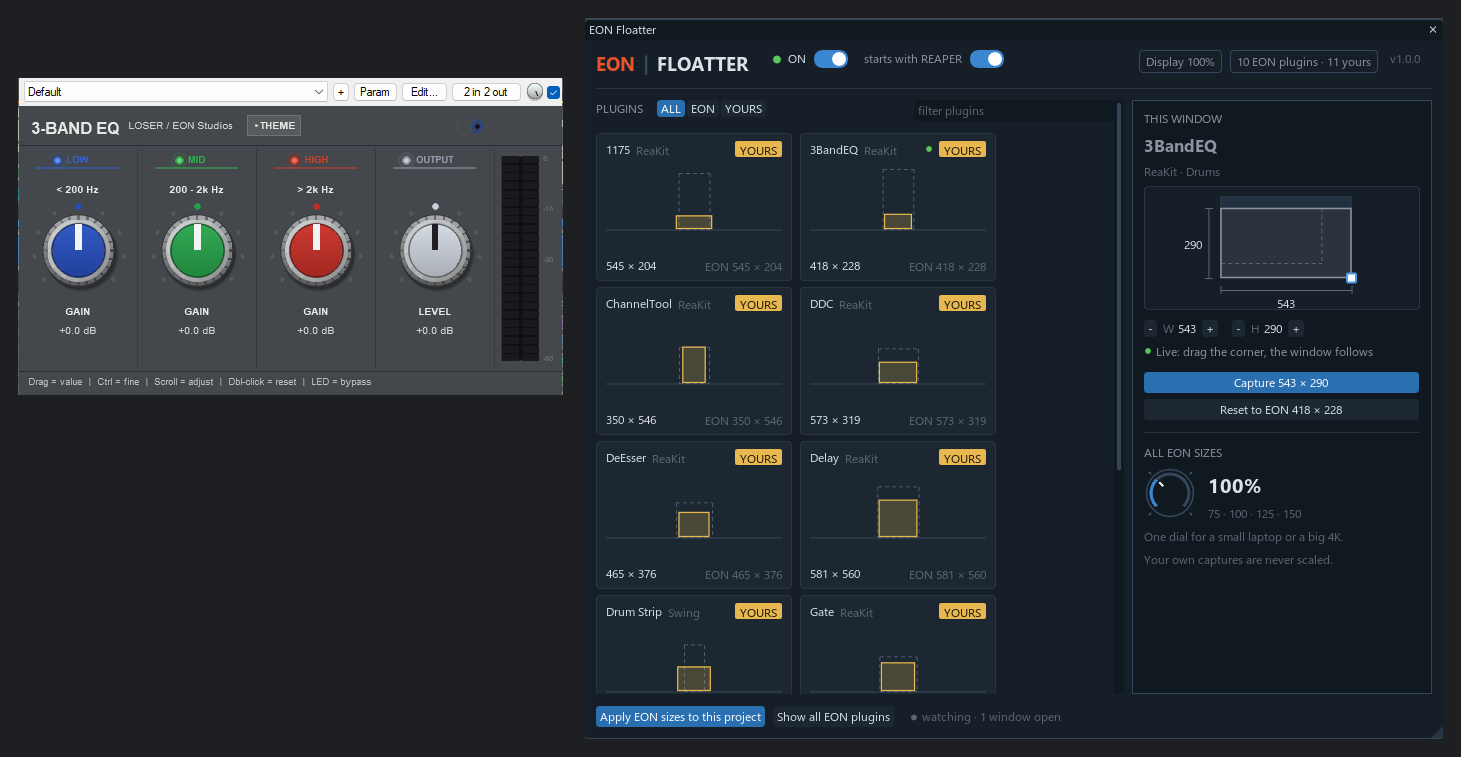
The 3-Band EQ's window dragged to a new size. The panel follows the drag live; Capture keeps that size for every one you open from then on, Reset puts EON's size back.
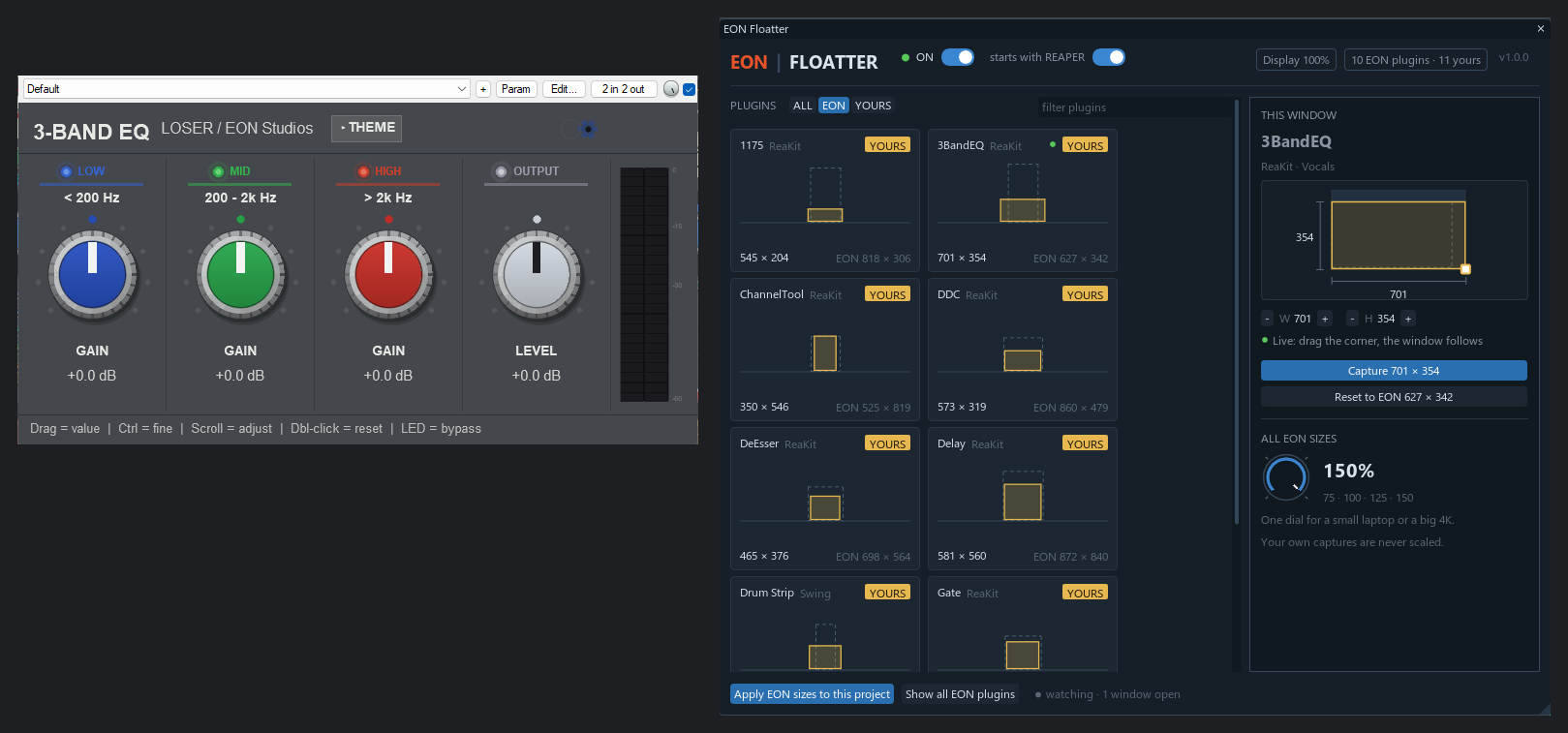
The dial at 150 %: every EON size grows with it, for a small laptop or a big screen. A window at a size of your own is left alone.
Run it once from the Action List: it switches on, starts with REAPER from then on, and shows its panel. Run it again to open the panel; closing the panel never stops it. It needs js_ReaScriptAPI, and the panel needs ReaImGui, both free from ReaPack.
Seven free effects, drawn by this library.
ReaKit is the face of every ReaKit FX plugin: GainKit's VU and gain knob, the Filter's curve, the compressor's meters, the twenty-one knob styles and the three themes. They're free too.
Free. A few minutes, via ReaPack.
- Put your email in the form below and confirm it from the email that arrives (check spam if it hides). We'll then send you the install guide with your ReaPack link.
- No Extensions menu in REAPER? Get ReaPack free at reapack.com. In REAPER, open Options → Show REAPER resource path, put the file in the UserPlugins folder there, and restart REAPER. If ReaPack shows a list of repositories the first time, just click OK.
- Extensions → ReaPack → Import repositories, paste your link, and click OK.
- Extensions → ReaPack → Browse packages. Type ReaKit, check that two packages show (the ReaKit library, and EON Floatter), click Select all, then Actions → Install/update selection. For Floatter, also type js_ReaScriptAPI, click that one package and install it the same way, then type ReaImGui, click only the one called "ReaImGui: ReaScript binding for Dear ImGui", and install it. Click Apply, then restart REAPER.
- Add a track, click its FX button, type ReaKit and add JS: ReaKit Elements. Click a tab, and turn, drag and click everything. JS: ReaKit Starter is in the same list.
- In your own plugin, import the library from ReaKit/Library in REAPER's Effects folder. It updates through ReaPack like anything else.
ReaKit Elements on its Sliders tab.